
From form entries to a working spreadsheet.
Choose the submissions you need and export them as a CSV. Review, filter, and share the data in the tools your team already uses.
WHY IT MATTERS
Your next step
doesn’t have to be in Roolify.
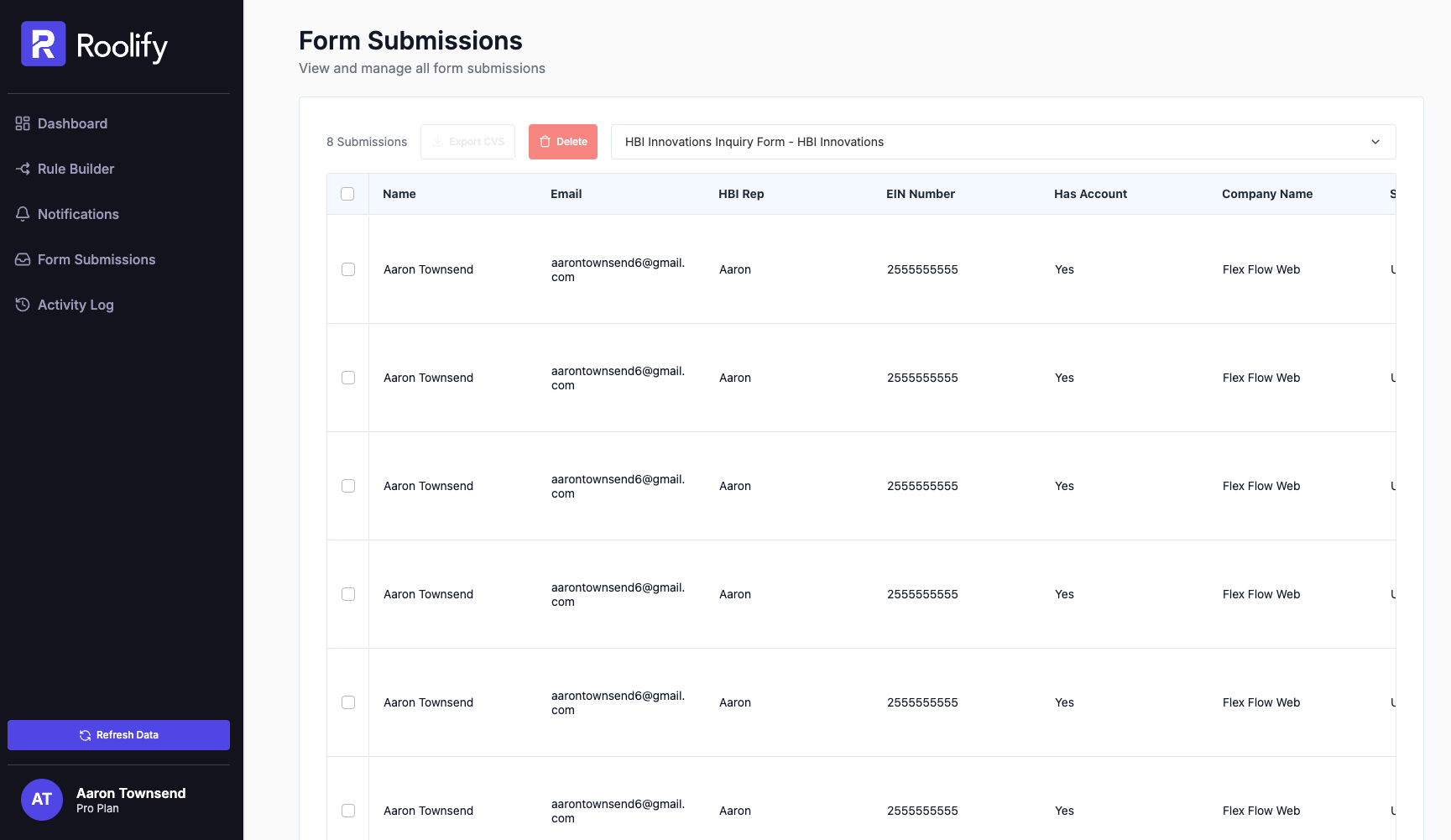
Bring submissions into a spreadsheet for reporting, follow-up, or a handoff. Select a specific form and the entries that belong in your export.
01
Find the right form
Submissions are scoped to the active site and include the form name, submission time, and submitted field values.
02
Choose individual entries
Check the rows you need to export a selected set of submissions.
03
Export in bulk
Use the header checkbox to select all submissions, then export them as a CSV file
Answers, before you start
Dont see yours? Ask us
Can I export only certain submissions?
Yes. Check the rows you want before clicking Export.
How do I export all submissions?
Yes. Check the rows you want before clicking Export.
Where are submissions from my other site?
Submissions are filtered to the currently active site. Switch sites in your dashboard to access another site’s forms.
Can I delete individual form submissions or clear history in bulk?
Yes. You can select specific rows to remove individual entries you no longer need, or use the batch selection tools to clear out test submissions and manage your storage directly from your dashboard.
BUILT FOR YOUR NEXT FORM
Give it a real problem to solve.
Try your rules on a webflow.io site with the free plan. Move to a paid plan when you’re ready for a custom domain.
Try RoolifyHave a question? Get in touch. Compare plans and limits →